Automating Customer Feedback with AI: No-Code, No Cost
By Harshil Lakhani ·
A simple automation that sorts user feedback with AI and sends it to the right team, built for free with n8n, Gemini, Airtable, Slack and Gmail.
Why I built this
Every product gets feedback. Some people love your app, some want new features and others point out issues. Going through feedback by hand and deciding what to do with it takes time.
So I asked myself: what if an automation could understand the type of feedback and send it to the right team automatically?
With no-code tools and a little help from AI, that is exactly what I built. You can too, for free.
Tools I used (all free or with free plans)
- n8n: no-code automation platform (self-hosted).
- Gemini (Google AI): analyzes the feedback and detects intent.
- Airtable: stores all feedback, categorized.
- Slack: notifies different teams based on feedback type.
- Gmail: replies to users automatically when needed.
How the n8n feedback automation works
- Form submission. A user submits feedback through a form connected to n8n.
- AI analysis with Gemini. The feedback is sent to Gemini, which decides whether it is a feature request, a compliment or a complaint.
- Smart routing in n8n. A Switch node uses Gemini's answer to add the feedback to the correct Airtable table and post a message in the right Slack channel.
- Email response for complaints. If the feedback is a complaint, the workflow also sends a personalized email acknowledging the issue.
Screenshots
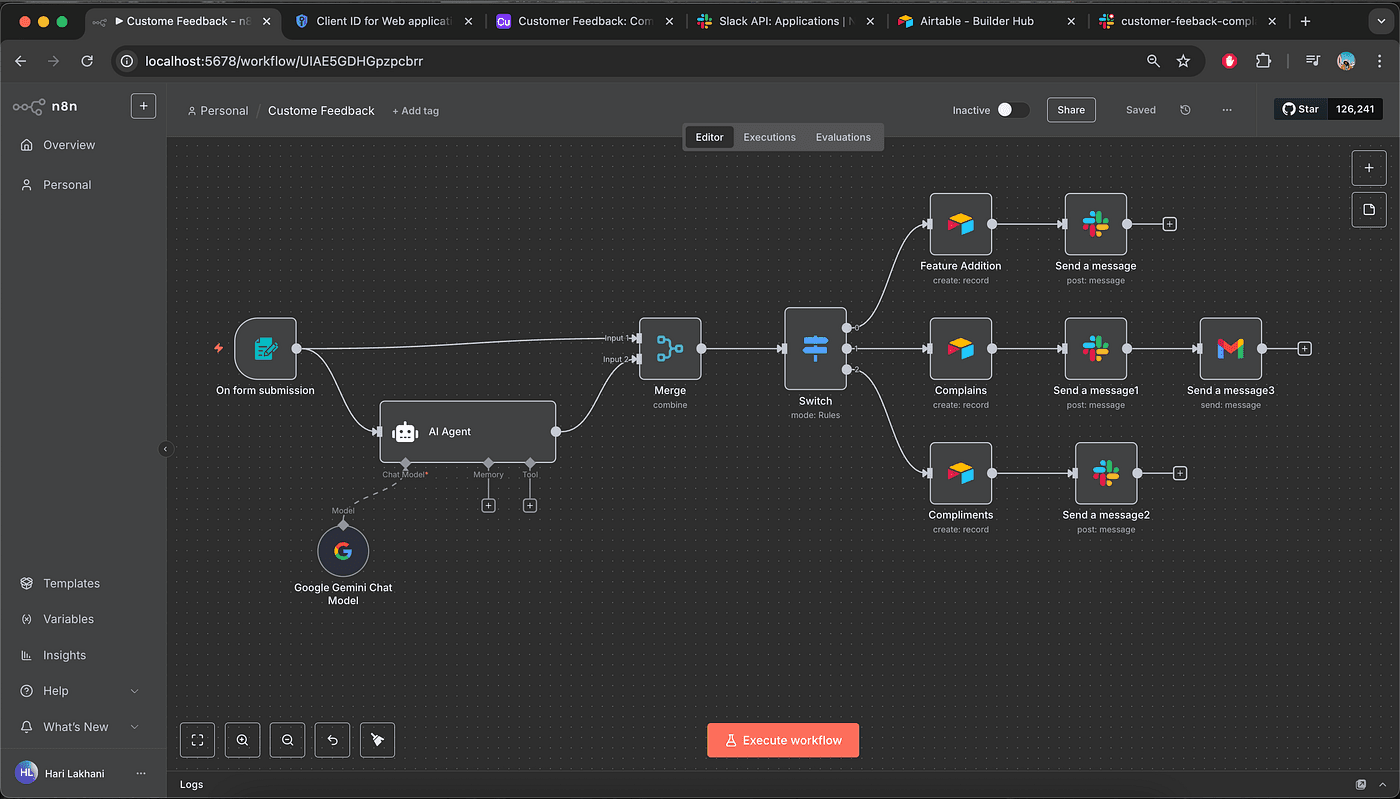
The complete n8n workflow.
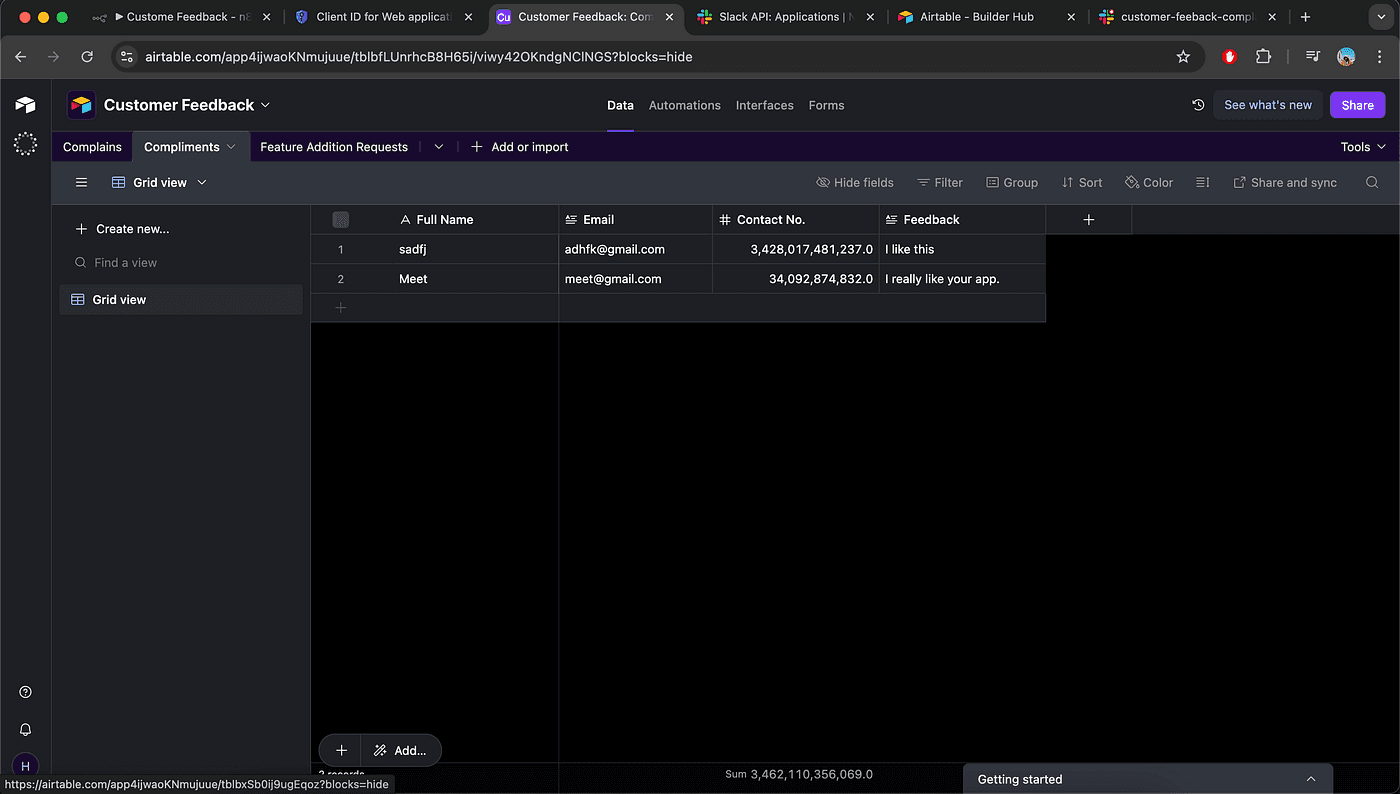
All three tables created in Airtable.
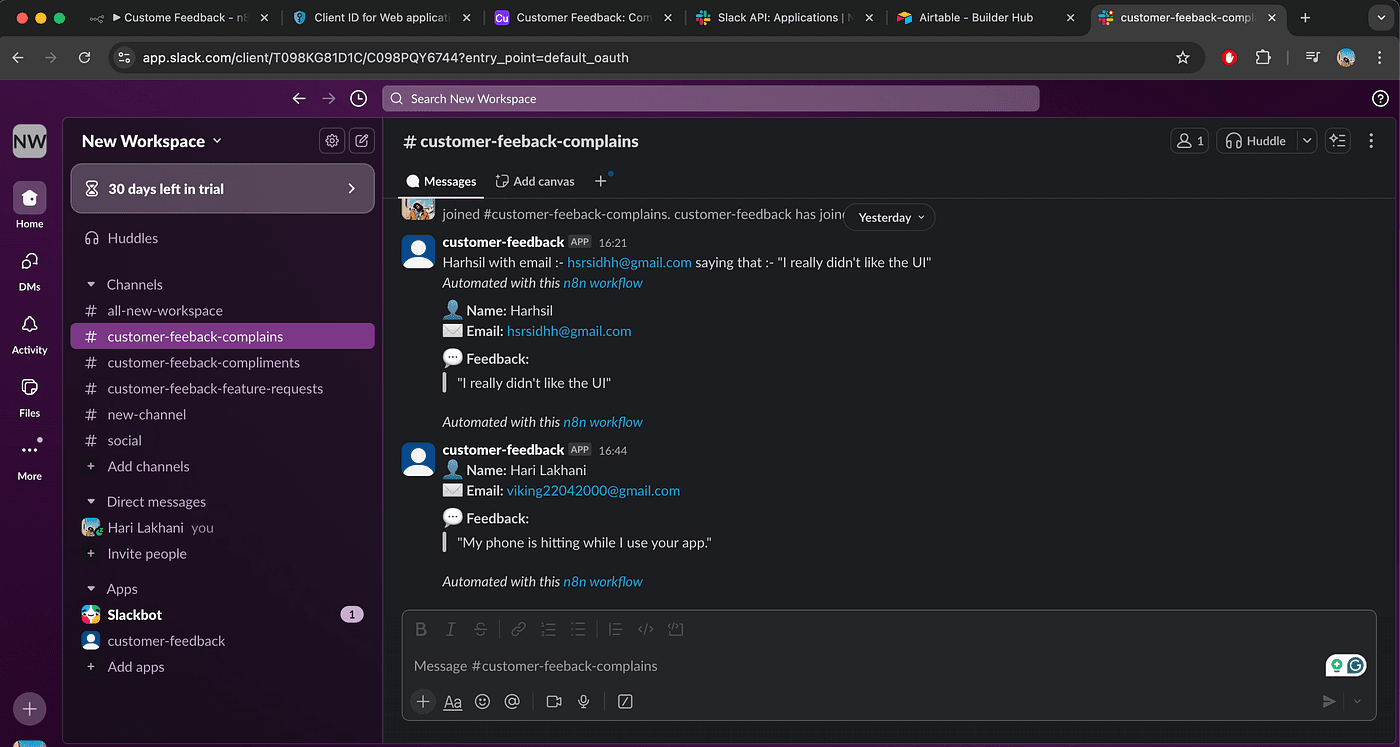
The Slack channel where user feedback appears.
What makes this automation useful
- Fully no-code: built entirely with drag-and-drop in n8n.
- Free and self-hosted: n8n runs on my own server, which keeps the cost at zero.
- AI-powered: feedback is classified automatically.
- Real-time alerts: the team stays updated through Slack.
- Respect for users: every complaint gets a timely response.
Who should try it
If you are a solo developer, a startup founder or anyone who wants to automate smartly, this is a good first workflow. You do not need to write a single line of code.
This setup works for:
- Customer support
- Bug reporting
- Feature requests
- Testimonials and feedback collection
Need an automation like this?
Tell me what your team does by hand and which tools are involved.
Discuss your project