One production workflow for image, video, prompt and document generation
Imagen coordinates several generative AI workflows behind one application. Users can prepare prompts, start media jobs, follow progress and retrieve results without working directly with each provider or backend process.
In short
Imagen is an AI media generation platform that runs image, video, prompt and document generation behind one application. Users prepare prompts, start media jobs, follow progress and retrieve results without dealing with each AI provider. A Python backend runs multi-stage asynchronous jobs, sends WebSocket progress updates and stores finished assets in cloud storage, keeping provider logic out of the interface.
- Generation types
- 4: image, video, prompt, document
- Backend
- Python
- Progress updates
- WebSockets
- Asset storage
- Cloud storage
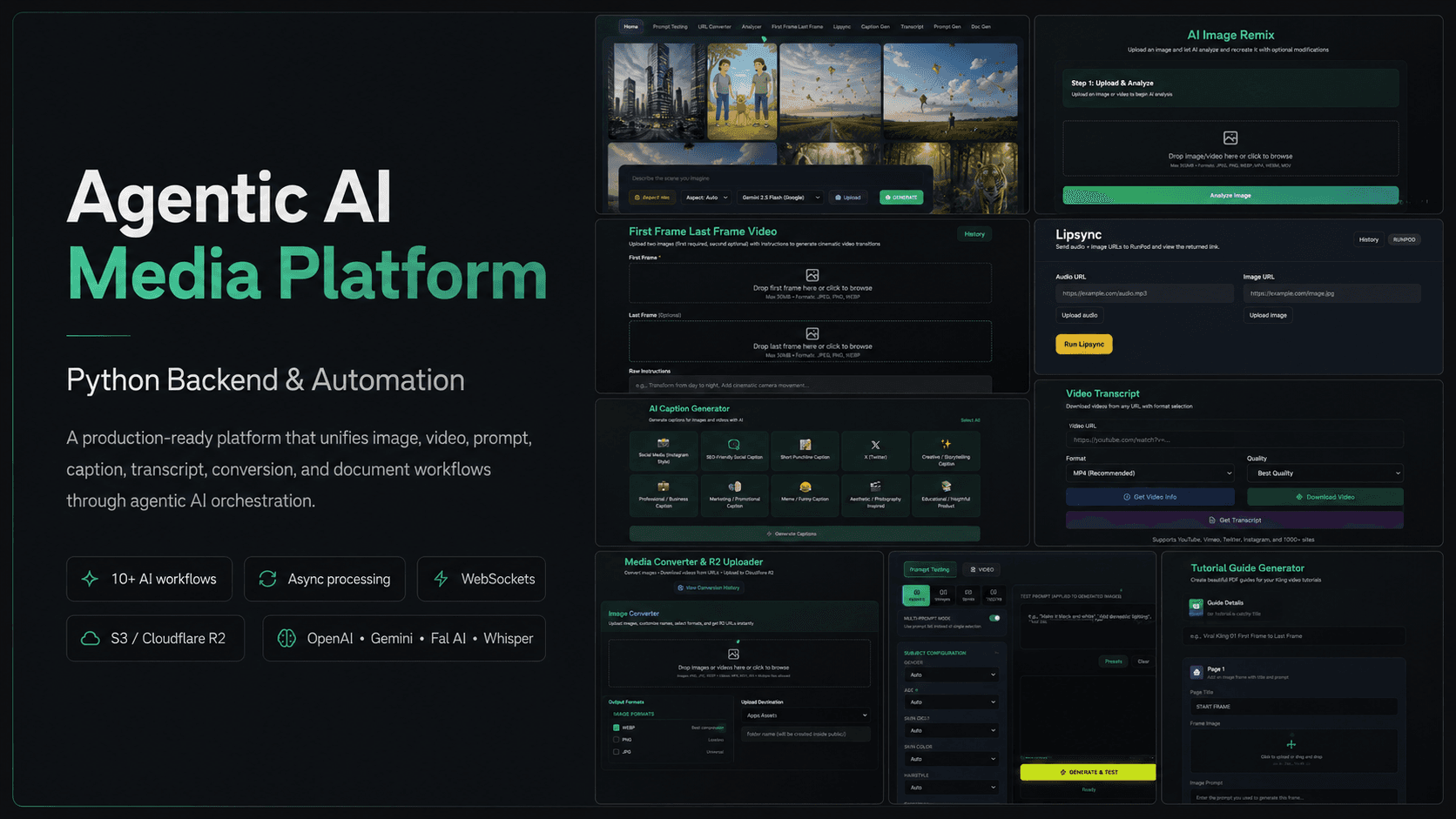
01 / The problem
Why the AI media generation platform was needed
Media generation jobs can take time, fail at different stages and return files in different formats. A production product needs more than an API call. It needs job state, retries, storage, progress updates and a clear record of the requested output.
The platform also had to support several generation types without coupling the entire application to one model provider.
02 / The build
How I approached the build
I developed a Python backend that organizes image, video, prompt and document generation as multi-stage jobs. The workflows can call different AI services, process returned media and store the final assets in cloud storage.
Asynchronous orchestration keeps long-running work outside the request cycle, while WebSocket updates show progress and completion inside the product interface.
03 / Capabilities
What the AI media generation platform does
Multi-stage generation
A single request can move through prompt preparation, provider calls and media processing.
Asynchronous jobs
Long-running generation does not block the main application request.
Realtime progress
Users receive state changes while the backend continues processing.
Prompt intelligence
Prompt workflows prepare and refine inputs for the selected output type.
Media processing
Returned files can be validated, transformed and prepared for delivery.
Cloud storage
Generated assets remain available after the job has completed.
04 / Workflow
How it works, step by step
- 01
Create the request
The application records the desired asset, input material and generation options.
- 02
Prepare the workflow
Prompt and provider steps are selected for that output type.
- 03
Process asynchronously
The backend runs generation and media tasks while publishing progress.
- 04
Store and deliver
The finished asset is saved and returned through the application.
05 / Product screens
Product screens
Select a screen to inspect the interface, workflow and operational details more closely.
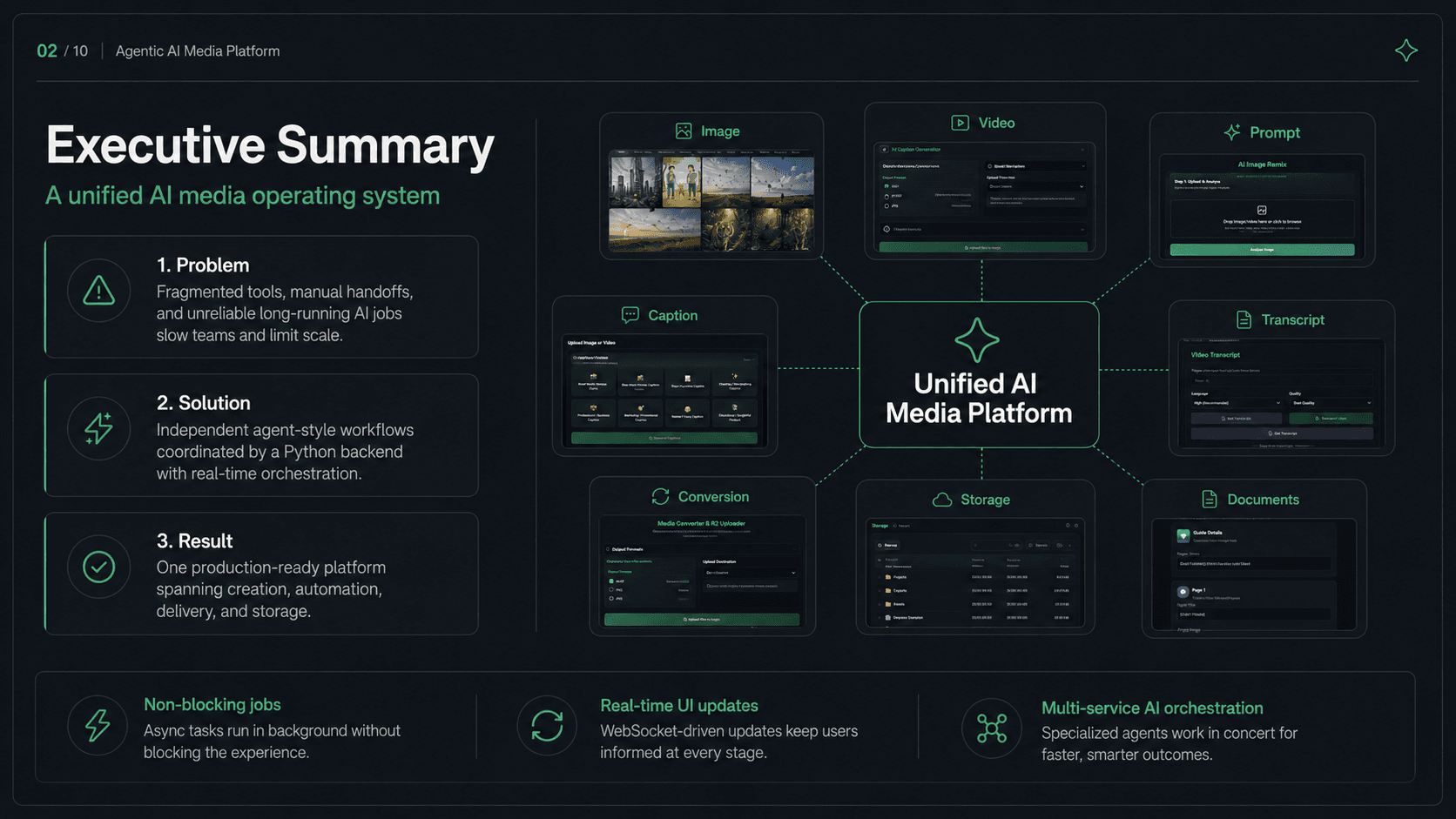
Imagen | AI Media Generation Platform product view 1
06 / What changed
The practical result
- Different media workflows share a common job and progress model.
- Long-running generation remains responsive from the user's point of view.
- Provider-specific logic stays behind the backend instead of spreading through the product interface.
Common questions
Questions about building a similar AI media generation platform
The work usually includes model integrations, prompt pipelines, background jobs, progress tracking, media processing, storage and the product interface around those systems.
Image and video generation may take longer than a normal web request. Background jobs improve reliability and make retries and progress updates easier to manage.
Yes. A provider abstraction can keep workflow and product logic stable while individual generation services change.
The job system records each stage so failed tasks can be inspected and retried without asking the user to restart the entire workflow.
Generated files are stored outside the application server and linked to their job record so delivery and history remain reliable.
Yes. Realtime events can publish job status changes to the interface while longer image or video tasks continue in the background.
Work with me
Building an AI media product?
I can help design the backend workflows, realtime product experience and provider integrations needed beyond the first prototype.
Discuss your projectKeep exploring
Related case studies
SEO Automation Platform | AI Content & Publishing
An SEO automation platform for research, AI-assisted content, translation, GitHub publishing and multi-site website generation.
Read the SEO content automation platform case studyAutomationAmpere Support | RAG Chatbot with Live Human Handoff
A RAG customer support chatbot with an embeddable widget, WebSocket chat, answers grounded in company docs, automatic escalation and live agent handoff.
Read the RAG support chatbot case studyWebPropTrader AVM | AI Property Intelligence Platform
An AI property valuation platform with automated valuation, portfolio tracking, market context, scenario simulation and appraisal reports.
Read the AI property valuation platform case study