An AI returns scanner that books 3PL warehouse returns from a label photo
A Dutch 3PL fulfilment company receives around 160 returned parcels a day for hundreds of sellers. Before this scanner, each parcel was matched to its order by hand in ChannelDock. Now a worker photographs the label, scans the items and taps accept or reject.
In short
The AI returns scanner is a returns intake app for a Dutch 3PL warehouse. A worker photographs the shipping label, Gemini reads the order number, customer name and tracking code, and the app finds the matching ChannelDock order line. The worker scans each item, marks it good or damaged, and the return is booked. Parcels that cannot be matched go to an exceptions shelf.
- Connected sellers
- 340+
- Returns per day
- ~160
- API routes
- 20
- Languages
- Dutch, English
01 / The problem
Why the AI returns scanner was needed
Returned parcels arrive with a carrier label and little else. To book one, someone had to find the order in ChannelDock, work out which seller owned the product and set the status of every line. With more than 340 connected sellers and around 160 returns a day, that took real time at the bench, and mistakes were easy to make.
The tracking code is the most reliably printed thing on a label, but ChannelDock cannot search orders or returns by tracking code. Its returns API also has no draft state. A return must be linked to a specific order line from the start, so a parcel known only by a name and a barcode cannot exist in ChannelDock at all.
Most returns were already announced. A customer requests the return on Bol or Amazon, the channel syncs it into ChannelDock as pending, and the parcel arrives days later. Creating a new return on every scan would put a duplicate next to the channel's own record and leave the original open.
02 / The build
How I approached the build
The worker photographs the label on a phone, tablet or handheld. Gemini on Vertex AI reads the tracking code, order number, customer name and any EAN. Several Gemini models run as a hedged race: the first model answers most scans, and a second starts only if the first is slow or throttled. A repair step fixes misread characters such as 0 and O using check digits and known code formats, never guesses.
Because ChannelDock has no draft returns, each parcel is held in a local staging store until it is complete. The resolver looks for an existing channel return first, so a multi-line parcel can be received without a barcode. A background mirror keeps shipments, returns and customer names in memory, which turns 8 to 60 second API lookups into instant ones. Every match is still confirmed live before anything is written.
The app is a PWA built for gloved hands: large tap targets, a coloured state band that reads from arm's length, and Dutch by default. It is deliberately not offline. Every useful action needs ChannelDock and Vertex, and API responses are never cached, so a stale result can never tell a worker a parcel was booked when it was not.
03 / Capabilities
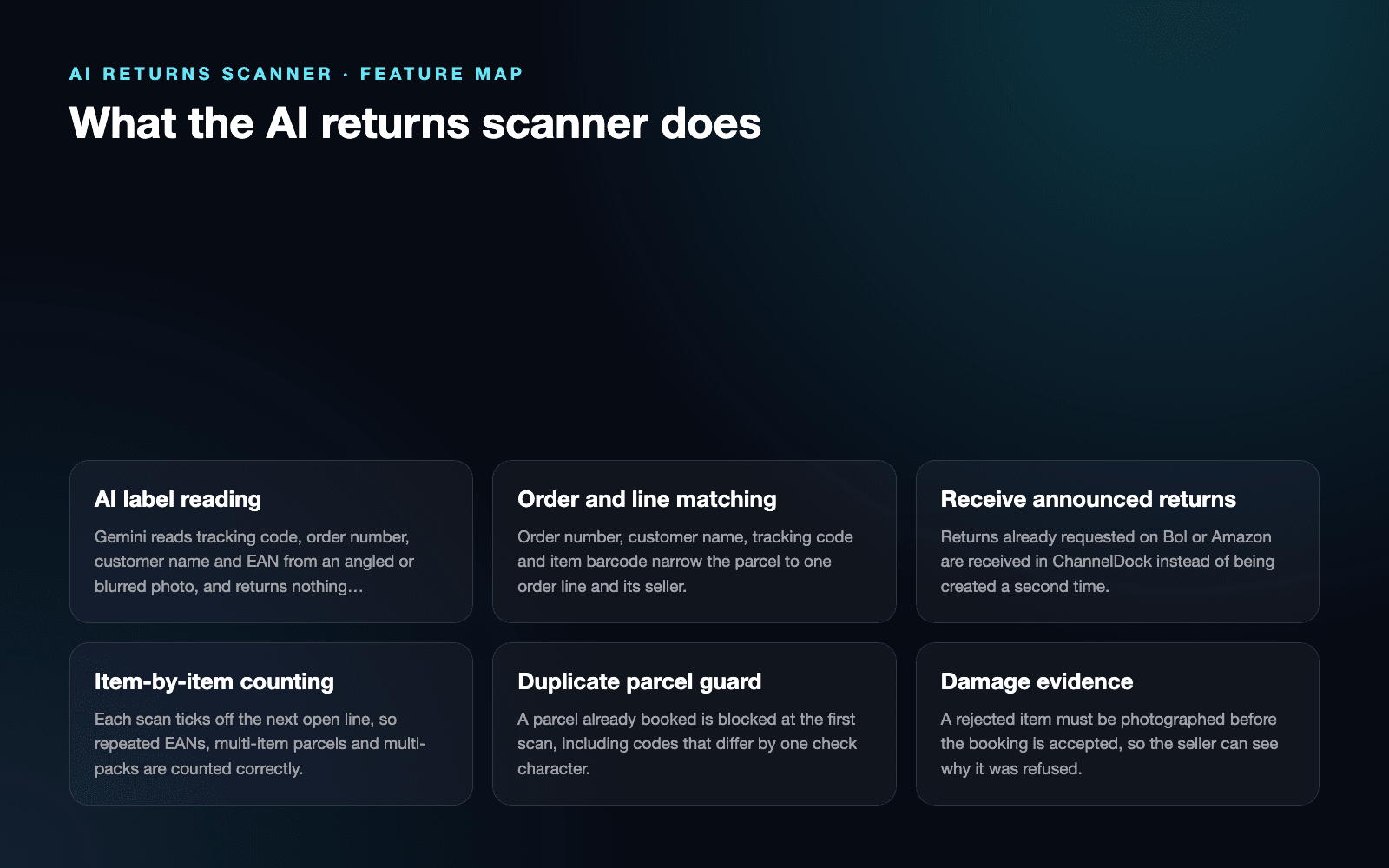
What the AI returns scanner does
AI label reading
Gemini reads tracking code, order number, customer name and EAN from an angled or blurred photo, and returns nothing rather than guessing on a non-label.
Order and line matching
Order number, customer name, tracking code and item barcode narrow the parcel to one order line and its seller.
Receive announced returns
Returns already requested on Bol or Amazon are received in ChannelDock instead of being created a second time.
Item-by-item counting
Each scan ticks off the next open line, so repeated EANs, multi-item parcels and multi-packs are counted correctly.
Duplicate parcel guard
A parcel already booked is blocked at the first scan, including codes that differ by one check character.
Damage evidence
A rejected item must be photographed before the booking is accepted, so the seller can see why it was refused.
Shelf and pallet routing
Good items go to their stock location, and refused items go to the seller's own pallet or the general rejects shelf.
Exceptions shelf
Parcels that cannot be matched safely are filed with their label photo for a manager to finish in ChannelDock.
04 / Workflow
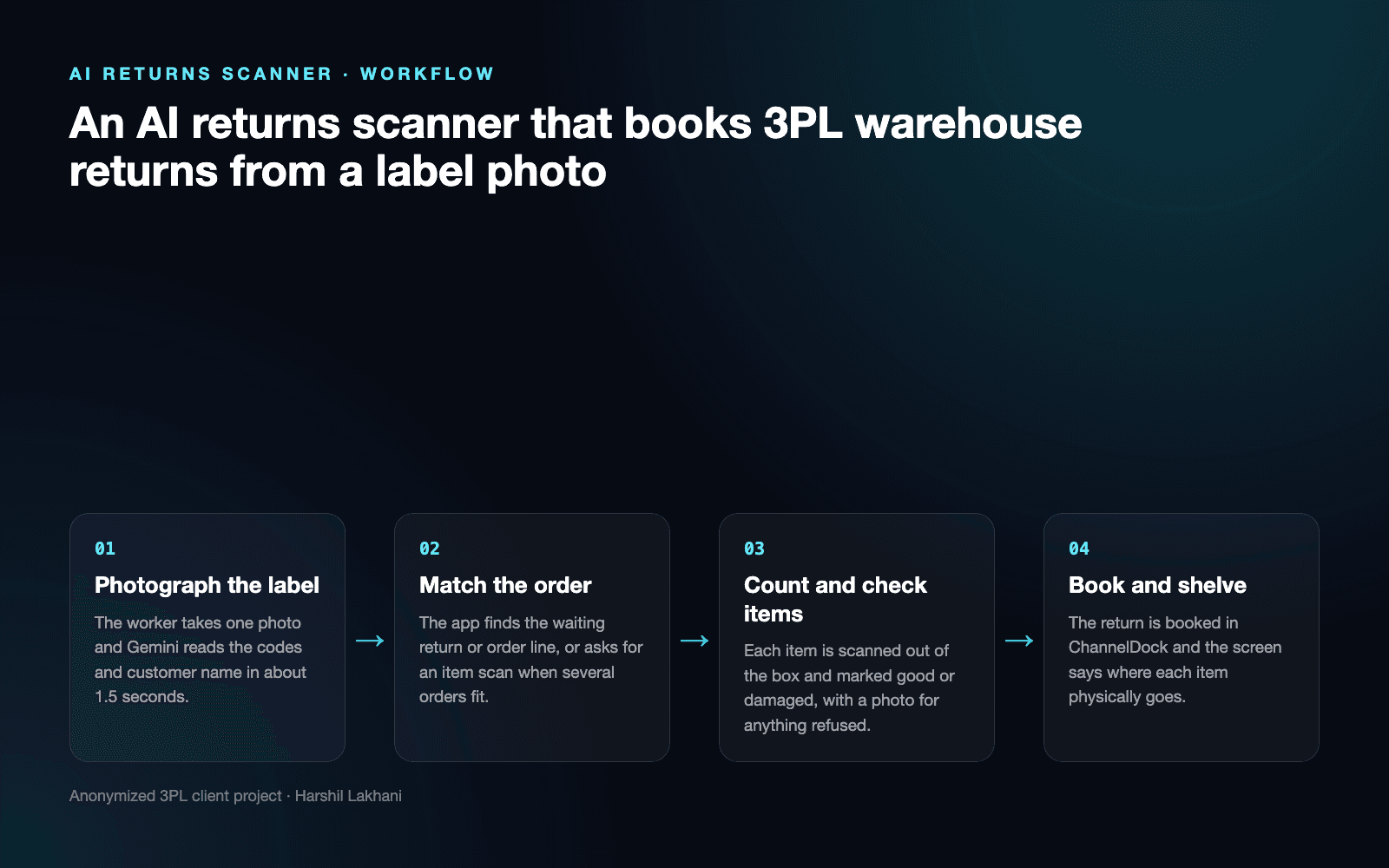
How it works, step by step
- 01
Photograph the label
The worker takes one photo and Gemini reads the codes and customer name in about 1.5 seconds.
- 02
Match the order
The app finds the waiting return or order line, or asks for an item scan when several orders fit.
- 03
Count and check items
Each item is scanned out of the box and marked good or damaged, with a photo for anything refused.
- 04
Book and shelve
The return is booked in ChannelDock and the screen says where each item physically goes.
05 / Product screens
Product screens
Select a screen to inspect the interface, workflow and operational details more closely.
Feature map
06 / What changed
The practical result
- A typical scan, from photo to matched order, takes about three seconds, and the worker no longer searches ChannelDock by hand.
- Announced Bol and Amazon returns are received against the channel's own record, so sellers do not end up with two returns for one parcel.
- Parcels that cannot be matched safely are refused and shelved with their label photo, so a wrong booking against another customer's order is stopped at the bench.
Common questions
Questions about building a similar AI returns scanner
The worker is asked to retake the photo first, with framing tips. Misread characters are repaired using check digits and known code formats. If the label still cannot be read, the worker can scan a product barcode from the box, or file the parcel on the exceptions shelf with its photo for a manager.
When several orders share a reference, the app shows a choice screen and an item scan narrows it to the right order. When no order or announced return exists, the worker can book the parcel against the seller from the item barcodes or put it on the exceptions shelf. A one-letter name typo also triggers an item scan.
It counts each physical box and converts the count into the units ChannelDock books. A three-box pack needs three box scans to fill one pack. Returns that list one EAN several times are ticked off line by line, and a scan beyond the expected quantity is called out instead of ignored. Anything not scanned stays pending.
The scanner checks for an existing return before creating one. Returns already requested on Bol or Amazon are received, not recreated. Two open requests for the same items are merged into one receipt. A parcel that was already booked is blocked at the first scan, even when its tracking code differs by one check character.
Damaged items are marked with one tap and must be photographed before the booking is accepted. The photo is stored with the return as evidence for the seller. The screen then sends refused goods to the seller's own pallet when they keep one, or to the general rejects shelf for everyone else.
Yes, admins attach instruction templates to a product's barcodes, such as checking a seal or always rejecting. The instruction appears on the bench as soon as that product is scanned, and updates reach the scanner within about a minute. The worker acknowledges it, and the note is saved in the ChannelDock return comment.
Work with me
Need a returns scanner for your warehouse?
I build returns intake tools that read labels, match orders in your WMS and keep wrong bookings off your sellers' accounts. Tell me how your returns bench works today.
Discuss your projectKeep exploring
Related case studies
OpsDesk AI | Fulfilment Operations Platform
A 3PL logistics automation case study covering seller operations, support, order investigations, credits, analytics and warehouse workflows.
Read the 3PL fulfilment operations platform case studyEnterpriseWarehouse Operations Dashboard | Real-Time Workforce Control
A real-time warehouse operations dashboard for staffing, task assignment, attendance, activity history and operational reporting.
Read the warehouse operations dashboard case studyEnterpriseCarrier Portal Bot | Claims & Ticket Automation
A browser automation bot that opens, tracks and closes parcel claim tickets in a carrier partner's portal that has no API, for a Dutch 3PL.
Read the carrier portal automation bot case study