A carrier portal automation bot that files and follows parcel claims
A Dutch 3PL fulfilment company files parcel investigations and claims through a carrier partner's customer portal built on Freshdesk. The portal has no API, so every ticket was opened, checked and answered by hand. This bot does that work through a real browser and exposes it as a small HTTP API.
In short
The carrier portal bot is a browser automation (RPA) service for a Dutch 3PL. It logs in to a carrier partner's Freshdesk customer portal, which has no API, and opens claim tickets with the carrier, reason and invoice attached. It also reads replies, adds comments and closes tickets. The 3PL's investigation platform calls it like any other API.
- API endpoints
- 7
- Ticket list read
- ~0.5s over HTTP
- Browser sessions
- 1 at a time
- Portal languages
- Dutch, English
01 / The problem
Why the carrier portal automation bot was needed
When a parcel goes missing or arrives damaged, the 3PL opens an investigation with the carrier. For one carrier partner, that means a ticket in a Freshdesk customer portal: choose the carrier, choose the claim reason, attach the sales invoice and fill in a non-receipt declaration. There is no API for any of it.
Following up was the larger cost. Each open investigation had to be checked for new replies, and answers had to be posted back with attachments. The 3PL's investigation platform needed this data automatically, but the only way in was the same web portal a person uses.
A first browser version worked but was slow and heavy. Every check launched Firefox, and nine open investigations on a 15-minute cycle meant about 960 browser launches a day, most of them re-reading tickets that had not changed.
02 / The build
How I approached the build
The bot is a Python FastAPI service that drives the portal with Playwright through Camoufox, a hardened Firefox build. It fills the claim form, including the Choices.js dropdowns for carrier and claim reason, uploads files, and returns the new ticket ID. If the portal redirects to the ticket list instead of the new ticket, the bot finds the ticket by its subject.
Session cookies are saved after login and reused, so most requests skip the login screen. An expired session is detected by the redirect to the login page and healed with a fresh login. A single global lock allows one browser at a time, because parallel sessions overwhelmed the portal's single sign-on.
Reads take a faster path. The portal renders tickets as plain HTML, so the ticket list and a change fingerprint (status, comment count, newest comment time) are fetched over HTTP with the saved cookies in about half a second instead of 20 to 30 seconds. The browser starts only when something changed. The Docker image installs only the libraries Firefox needs, not the full Playwright browser set of about 2 GB.
03 / Capabilities
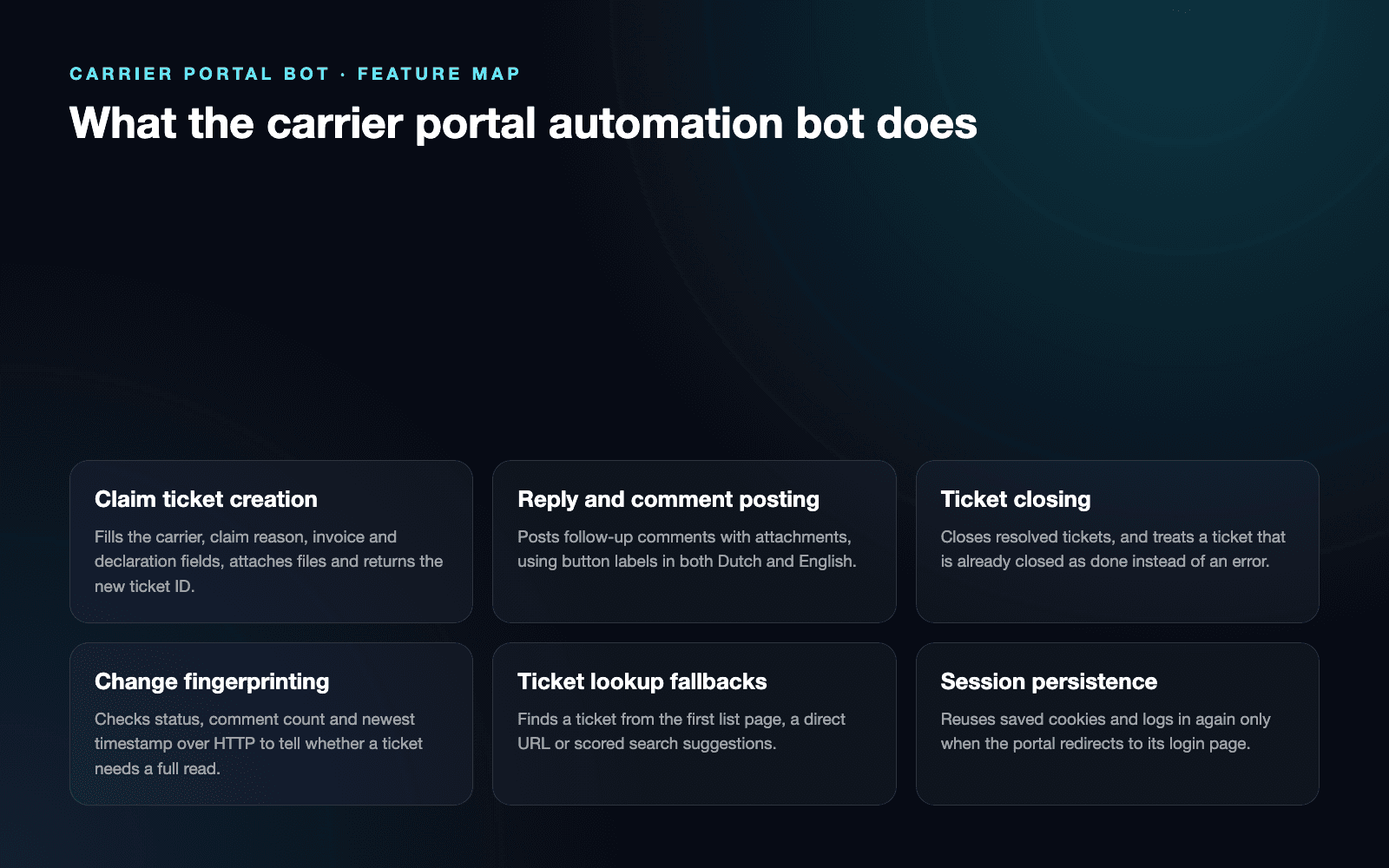
What the carrier portal automation bot does
Claim ticket creation
Fills the carrier, claim reason, invoice and declaration fields, attaches files and returns the new ticket ID.
Reply and comment posting
Posts follow-up comments with attachments, using button labels in both Dutch and English.
Ticket closing
Closes resolved tickets, and treats a ticket that is already closed as done instead of an error.
Change fingerprinting
Checks status, comment count and newest timestamp over HTTP to tell whether a ticket needs a full read.
Ticket lookup fallbacks
Finds a ticket from the first list page, a direct URL or scored search suggestions.
Session persistence
Reuses saved cookies and logs in again only when the portal redirects to its login page.
Error evidence
Captures on-screen validation errors and a full-page screenshot when a form step fails.
04 / Workflow
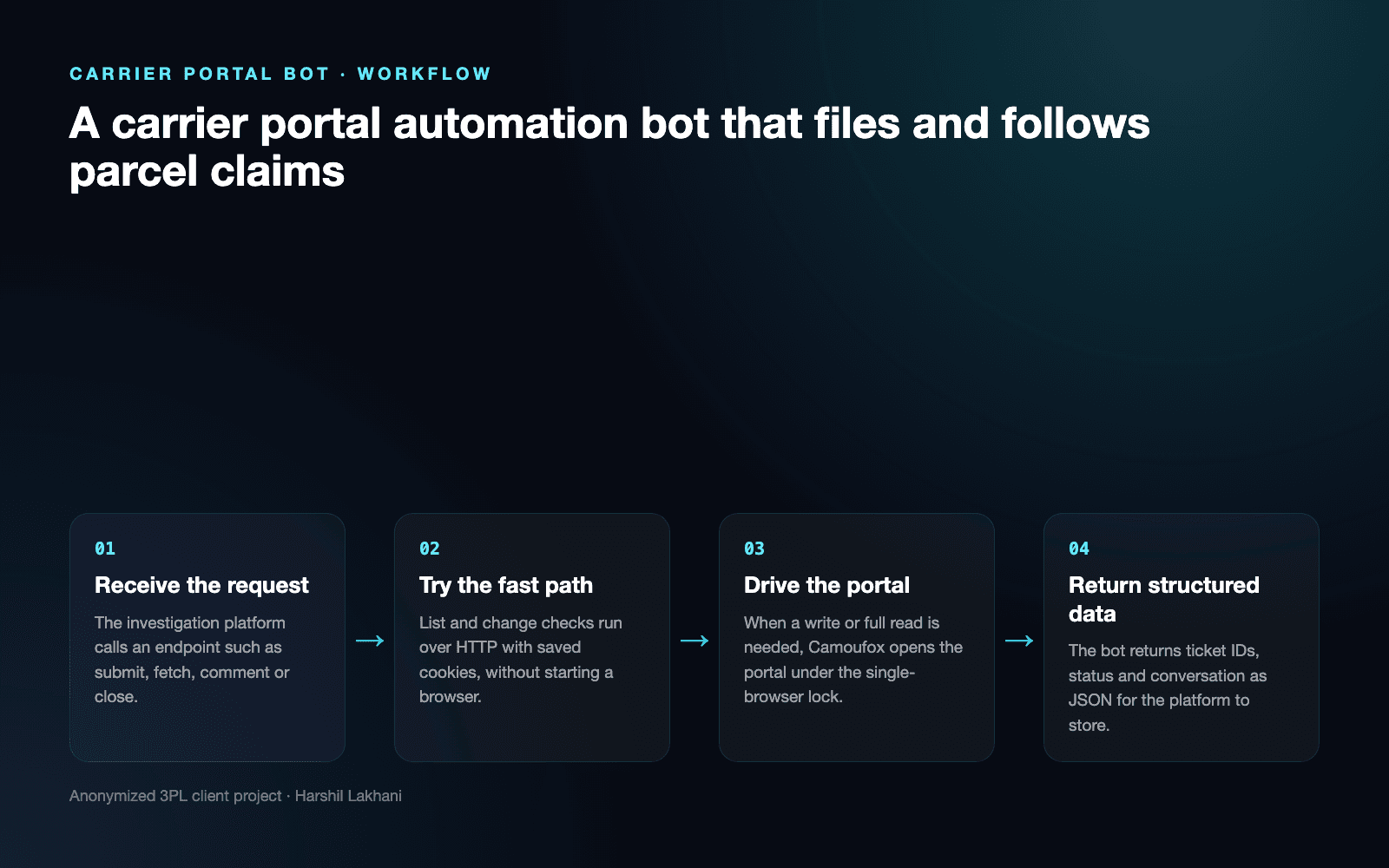
How it works, step by step
- 01
Receive the request
The investigation platform calls an endpoint such as submit, fetch, comment or close.
- 02
Try the fast path
List and change checks run over HTTP with saved cookies, without starting a browser.
- 03
Drive the portal
When a write or full read is needed, Camoufox opens the portal under the single-browser lock.
- 04
Return structured data
The bot returns ticket IDs, status and conversation as JSON for the platform to store.
05 / Product screens
Product screens
Select a screen to inspect the interface, workflow and operational details more closely.
Feature map
06 / What changed
The practical result
- Claim tickets in the carrier portal are opened, followed up and closed from the 3PL's investigation platform, without staff logging in to the portal.
- Ticket list reads dropped from 20 to 30 seconds of browser time to about half a second over HTTP, and unchanged tickets no longer start a browser.
- Failures are visible and recoverable: expired sessions heal themselves, and form errors come back with the portal's own messages and a screenshot.
Common questions
Questions about building a similar carrier portal automation bot
Yes, a browser automation bot can use the portal the same way a person does. This bot logs in to a Freshdesk customer portal, fills in claim forms, uploads invoices, reads replies and closes tickets. It exposes those actions as a small HTTP API, so other systems can call it without knowing a browser is involved.
The bot logs in again and saves the new session automatically. It detects expiry when the portal redirects to its login page, then stores fresh cookies for the next request. The fast HTTP read path fails soft in the same case and falls back to the browser, which refreshes the session on its way through.
The bot reports the portal's own error messages instead of failing silently. When the form reloads with validation errors, it collects the visible error text and saves a full-page screenshot. When the portal sends it to the ticket list instead of the new ticket, it finds the new ticket by its subject line.
It tries three routes in order until one opens the right ticket. First it checks the first page of the ticket list, then the direct ticket URL, then the portal's search suggestions. Suggestions are scored on ticket ID, link and subject text, and the bot confirms the opened page is the requested ticket before reading it.
Parallel sessions overwhelmed the portal's single sign-on, so the bot runs one browser at a time. A global lock queues write and full-read requests. Ticket list reads and change checks run over plain HTTP outside the lock, so the regular status cycle never waits behind a slow form submission.
The bot checks whether a ticket changed before reading it in full. A fingerprint of status, comment count and newest comment time is compared with the last one. Reply text is still read through the browser so the platform's stored reply fingerprints match exactly, which stops an old reply from being imported again as new.
Work with me
Stuck with a carrier portal that has no API?
I build browser automation that files claims, follows tickets and feeds the results into your own systems. Send me the portal workflow your team repeats every day.
Discuss your projectKeep exploring
Related case studies
3PL Automation SaaS | Investigation & Seller Operations
A 3PL automation SaaS for seller investigations, carrier email updates, evidence uploads, case tracking and Freshdesk workflows.
Read the 3PL investigation automation SaaS case studyEnterpriseOpsDesk AI | Fulfilment Operations Platform
A 3PL logistics automation case study covering seller operations, support, order investigations, credits, analytics and warehouse workflows.
Read the 3PL fulfilment operations platform case studyEnterpriseAI Returns Scanner | Label Reading & Returns Intake
An AI returns scanner for a Dutch 3PL. Workers photograph the label, Gemini reads it, and the return is matched and booked in ChannelDock.
Read the AI returns scanner case study