Parcel sorter accuracy monitoring that catches every wrong-lane parcel
This service watches the parcel sorter of a Dutch 3PL fulfilment company. The sorter sends a copy of every scan to a webhook, which works out the carrier from the barcode and checks the parcel went down the right lane. Managers get an accuracy email every hour.
In short
The sorter monitor is a small Node.js webhook that receives every parcel sorter scan. It detects the carrier from 14 barcode rules, compares the expected lane with the lane the parcel actually went to, and counts retried scans only once. Counts are stored per hour, and managers receive an email with accuracy, wrong-lane parcels and unknown barcodes.
- Barcode rules
- 14
- Sorter lanes checked
- 10, incl. error/manual
- Report interval
- Hourly
- Automated tests
- 24
01 / The problem
Why the parcel sorter accuracy monitor was needed
The warehouse installed a parcel sorter that routes parcels to carrier lanes for DHL, PostNL, bpost, Colis Privé, Evri and others. The sorter decides the lane itself. Nobody on the operations side could see how often it got that right.
A parcel on the wrong lane leaves with the wrong carrier or sits in a cage until someone finds it. Without data, mis-sorts showed up days later as carrier complaints and lost-parcel tickets, with no way to tell a sorter fault from a new label format.
The service also had to be safe to expose. It is the only system the sorter supplier can reach, so it needed its own keys, an IP allowlist and limits, and it could not slow down or lose scans when the sorter retried.
02 / The build
How I approached the build
I wrote the carrier detection as an ordered list of regex rules, taken from the lane configuration agreed with the sorter supplier. Specific prefixes run first and the broad 24-digit bpost rule runs last. A barcode that matches nothing belongs on the error/manual lane. The service reads the output lane from the scan or from the device ID, then marks each scan correct, wrong lane or not checkable.
Each scan gets an ID hashed from its barcodes, send time, device and lane. Retries carry the same ID and are counted once across the current and previous period. Counts stay in memory and are written to Firestore as one document per period with atomic increments, every 5 minutes or when a period ends. A failed write keeps its counts for the next try, and a shutdown flushes first.
Security is layered. Two keys can be active so a new key can be rolled out without downtime, and keys are compared in constant time. Posts are limited to an IP allowlist, a token-bucket rate limit, wrong-key throttling per address, and body limits of 64 KB per scan and 2 MB per batch. A health endpoint lets the host restart the service if it stops.
03 / Capabilities
What the parcel sorter accuracy monitor does
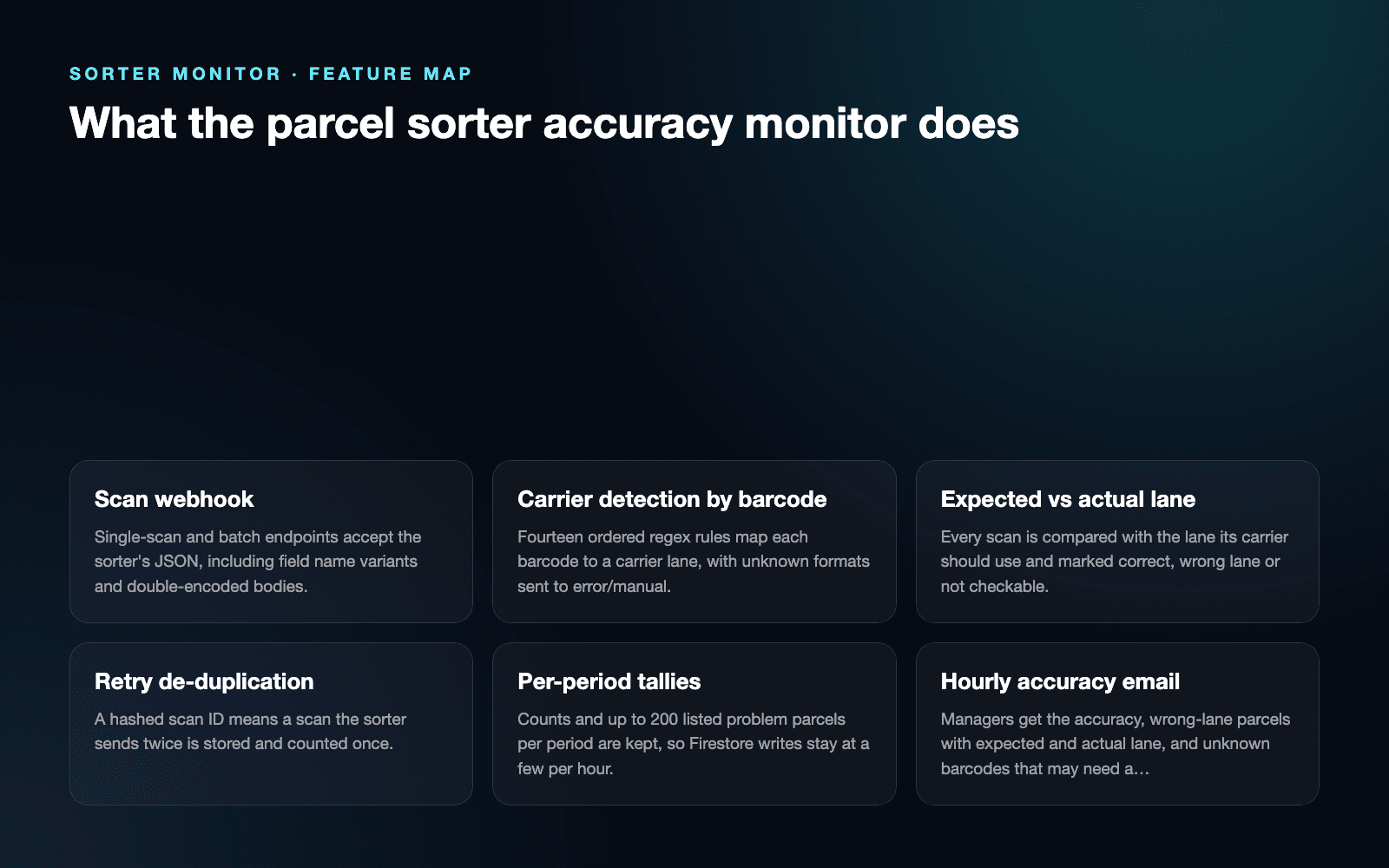
Scan webhook
Single-scan and batch endpoints accept the sorter's JSON, including field name variants and double-encoded bodies.
Carrier detection by barcode
Fourteen ordered regex rules map each barcode to a carrier lane, with unknown formats sent to error/manual.
Expected vs actual lane
Every scan is compared with the lane its carrier should use and marked correct, wrong lane or not checkable.
Retry de-duplication
A hashed scan ID means a scan the sorter sends twice is stored and counted once.
Per-period tallies
Counts and up to 200 listed problem parcels per period are kept, so Firestore writes stay at a few per hour.
Hourly accuracy email
Managers get the accuracy, wrong-lane parcels with expected and actual lane, and unknown barcodes that may need a new rule.
Access controls
Rotating keys, IP allowlist, rate limits and body-size limits protect the only endpoint the supplier sees.
Test mode and health check
A test flag shows how a scan was read without storing it, and a health endpoint supports automatic restarts.
04 / Workflow
How it works, step by step
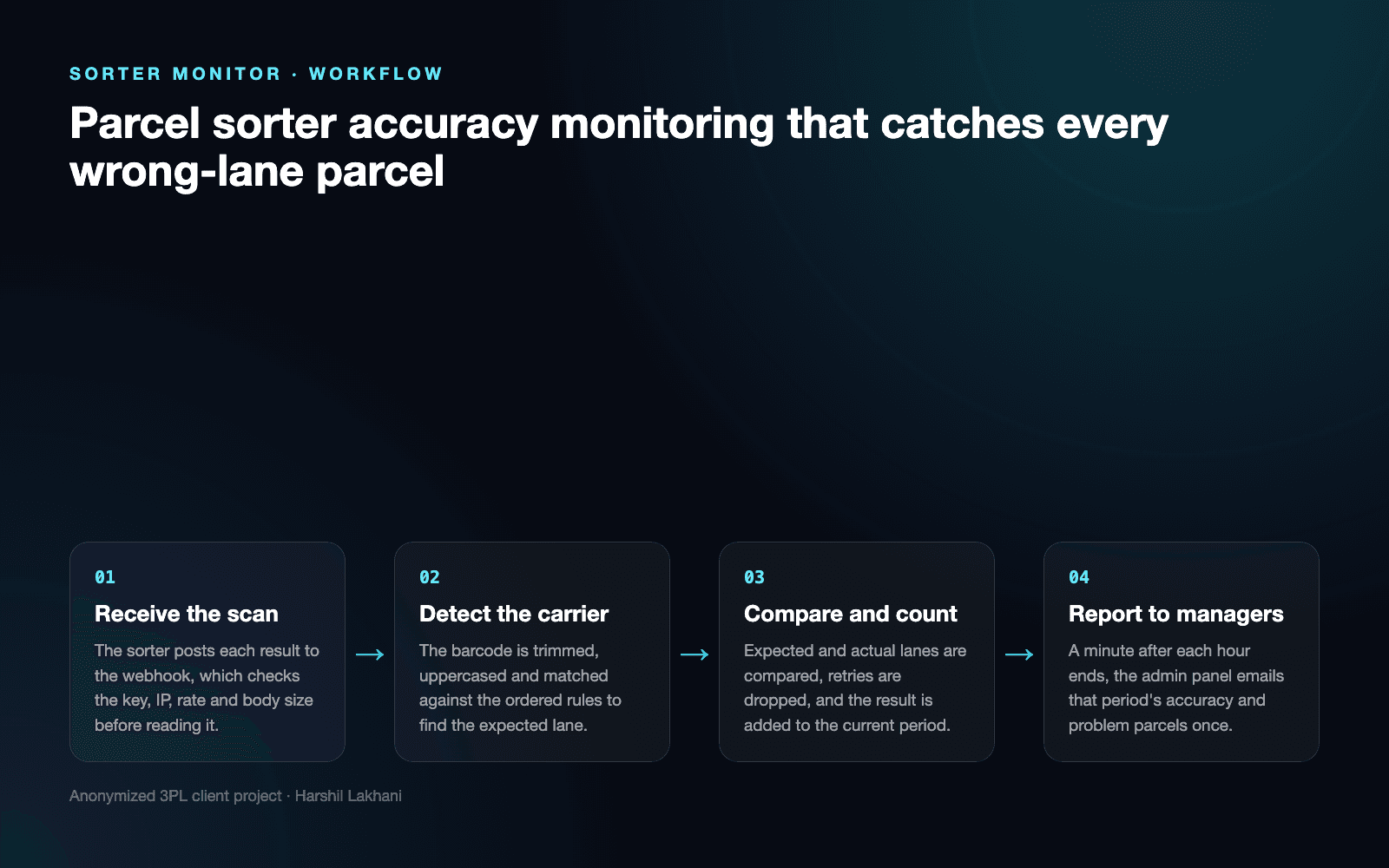
- 01
Receive the scan
The sorter posts each result to the webhook, which checks the key, IP, rate and body size before reading it.
- 02
Detect the carrier
The barcode is trimmed, uppercased and matched against the ordered rules to find the expected lane.
- 03
Compare and count
Expected and actual lanes are compared, retries are dropped, and the result is added to the current period.
- 04
Report to managers
A minute after each hour ends, the admin panel emails that period's accuracy and problem parcels once.
05 / Product screens
Product screens
Select a screen to inspect the interface, workflow and operational details more closely.
Feature map
06 / What changed
The practical result
- Managers see the sorter's lane accuracy every hour instead of hearing about mis-sorts from carriers days later.
- Wrong-lane parcels are listed with barcode, scan time and both lanes, so the floor knows which parcels to find and re-route.
- New carrier label formats show up in the unknown-barcode list, which tells the team when a lane rule needs adding.
Common questions
Questions about building a similar parcel sorter accuracy monitor
Compare the lane each parcel should use with the lane it actually went to, for every scan. The service detects the carrier from the barcode, looks up that carrier's lane, and reads the real lane from the sorter's message. Accuracy is correct scans divided by all checkable scans, reported every hour.
It is counted once. Each scan gets an ID hashed from its barcodes, send time, device and lane, so a retry produces the same ID. The service remembers IDs from the current and previous period, which covers retries that arrive just after an hour boundary. The sorter can resend safely after any error.
They are expected on the error/manual lane and listed in the hourly report. A barcode that matches none of the carrier rules is marked as an unknown format. The email lists those parcels with scan time and lane, and notes that a new carrier label format may need a rule.
Every wrong-lane parcel is listed in the hourly email with its barcode, carrier rule, expected lane and actual lane. The report also shows the sorter's own reason code when it sends one. Up to 200 problem parcels are listed per period, while the counts always cover every scan.
A short database outage does not lose counts. If a write to Firestore fails, the counts stay in memory and join the next flush. On a redeploy the service saves its counts before stopping. If a scan cannot be accepted, the sorter gets an error asking it to resend, and de-duplication stops the resend counting twice.
It accepts posts only with a valid key, from allowed IP addresses, within rate and size limits. Two keys can be active during a key change, wrong-key attempts are throttled per address, and bodies over 64 KB, or 2 MB for batches, are refused. The service exposes nothing besides the scan paths and a health check.
Work with me
Want to know how accurate your parcel sorter really is?
I build monitoring and integrations for warehouse equipment, from sorter webhooks to the reports your managers read every hour.
Discuss your projectKeep exploring
Related case studies
Shift Board | Carrier Cutoff & SLA Planning
A live 3PL cutoff planning board: pick backlog vs carrier cutoffs, picker deficit advice, order forecasts and per-carrier SLA emails sent exactly once.
Read the warehouse cutoff planning board case studyEnterpriseAI Returns Scanner | Label Reading & Returns Intake
An AI returns scanner for a Dutch 3PL. Workers photograph the label, Gemini reads it, and the return is matched and booked in ChannelDock.
Read the AI returns scanner case studyEnterpriseWarehouse Operations Dashboard | Real-Time Workforce Control
A real-time warehouse operations dashboard for staffing, task assignment, attendance, activity history and operational reporting.
Read the warehouse operations dashboard case study